|
Electronic Components Datasheet Search |
|
|
Electronic Components Datasheet Search |
|
H2C-R Datasheet(PDF) 8 Page - Omron Electronics LLC |
|
|
|||||||||||||||||||||||||||||
H2C-R Datasheet(HTML) 8 Page - Omron Electronics LLC |
|
|
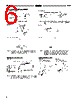
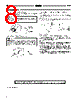
8 / 8 page  H2C H2C 8 Precautions How to Change the Time Range Change the positions of the time range selector with a flat-blade screwdriver or an Allen wrench. Caution Be sure to turn the power off before changing the time specifi- cation. Changing the time range while the timer is in operation may cause a malfunction. How to Select Power Frequency Notice Power frequency Before using the timer, set the frequency selector located at the rear panel to the proper power frequency (50 or 60 Hz). Note that if the frequency selector is set incorrectly, time mea- surement may not be performed accurately against the set time. How to Mount the Timer on Mounting Track Mounting First hook portion A of the timer to the mounting track, then depress the timer in direction B. Dismounting Pull out portion C with a round-blade screwdriver and remove the timer from the mounting track. B A C Electrical Set The motor and clutch do not need to be reset simultaneously. Use the voltage applied to the clutch for resetting with the H2C-R. Do not allow power to be continuously applied to the motor and clutch for extended periods of time. Others Do not turn the operation time setting knob beyond the range of the scale. To achieve higher accuracy in setting, measure the operation time while turning the operation time setting knob. The deviation and setting error for the operation time shows the per- cent of FS. The absolute value of the deviation and setting error will not change even if the set time is changed. The time specifications should therefore be selected to use the operation time as close to FS as possible. At high temperatures, the operation voltage will be 90% or less if voltage is applied continuously after timeout. Be sure to keep the voltage within the allowable voltage fluctuation range. ALL DIMENSIONS SHOWN ARE IN MILLIMETERS. To convert millimeters into inches, multiply by 0.03937. To convert grams into ounces, multiply by 0.03527. Cat. No. L007-E1-8 ! ! |
|
|
Link URL |
| Does ALLDATASHEET help your business so far? [ DONATE ] |
About Alldatasheet | Advertisement | Contact us | Privacy Policy | Link to Datasheet | Link Exchange | Manufacturer List All Rights Reserved©Alldatasheet.com |
| Russian : Alldatasheetru.com | Korean : Alldatasheet.co.kr | Spanish : Alldatasheet.es | French : Alldatasheet.fr | Italian : Alldatasheetit.com Portuguese : Alldatasheetpt.com | Polish : Alldatasheet.pl | Vietnamese : Alldatasheet.vn Indian : Alldatasheet.in | Mexican : Alldatasheet.com.mx | British : Alldatasheet.co.uk | New Zealand : Alldatasheet.co.nz |
|
Family Site : ic2ic.com |
icmetro.com |
 English ▼
 English
 Chinese
 German
 Japanese
 Russian
 Korean
 Spanish
 French
 Italian
 Portuguese
 Polish
 Vietnamese
 Indian
 Mexican
 British
 New Zealand