|
Electronic Components Datasheet Search |
|
|
Electronic Components Datasheet Search |
|
UPD6600AGS Datasheet(PDF) 8 Page - NEC |
|
|
|||||||||||||||||||||||||||||
UPD6600AGS Datasheet(HTML) 8 Page - NEC |
|
|
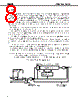
8 / 36 page  µPD6124A, 6600A 8 10. TIMER The timer block determines the transmission output pattern. The timer consists of 10 bits, of which 9 bits serve as the 9-bit down counter and the remaining 1 bit serves as the 1-bit latch, which determines the carrier output validity. The 9-bit down counter is decremented (–1) every 8/fOSC(s) in synchronization with the machine cycle, after starting down count operation. Down counting stops after all of the 9 bits become 0. When down counting is stopped, the signal indicating that the timer operation has stopped, is output. If the CPU is at standby (HALT TIMER) for the timer operation completion, the standby (HALT) condition is released and the next instruction will be executed. If the next instruction again sets the value of the down counter, down counting continues without any error (the carrier output of the REM pin is not affected). Set the down count time according to the following calculation; (set value (HEX) + 1) × 8/fOSC. Setting the value to the timer is done by the timer manipulation instruction. When the down counter is operating, the remote control transmission carrier can be output to the REM pin. Whether or not to output the carrier can be selected by the MSB for the timer register block. Set “1”, when outputting the carrier, or “0”, when not outputting the carrier. If all the down counter bits become “0”, when outputting the carrier, the carrier output will be stopped. When not outputting the carrier, the REM pin output will become low level. A signal in synchronization with the REM output is output to the S-OUT pin. However, the waveform for the S-OUT pin is low, when the carrier is being output to the REM pin, or it is high, when the carrier is not being output to the REM pin. If the HALT instruction, which initiates the oscillation stop mode, is executed when the down counter is operating, the oscillation stop mode is initiated after down counting is stopped (after 0). Timer operation STOP/RUN is controlled by the control register (P1). (Refer to 13. CONTROL REGISTER (P1).) At reset (all clear) time, the REM pin goes low and S-OUT pin goes high. All 10 bits of the timer are cleared to 000H. Cautions 1. Because the timer clock is not synchronized with the carrier output, the pulse width may be shortened at the beginning and end of the carrier output. 2. Reset caused by the low-voltage detector circuit causes the S-OUT pin to output low level. Figure 10-1. Timer Block Organization From low-voltage detector (reset) circuit S-OUT REM Carrier (fosc/12, fosc/8) Selected by control register Clear Set by timer mainpulation instruction 9-bit down counter Zero detection circuit D of control register P (Timer RUN/STOP) 21 1/0 MSB fosc/8 |
|
Link URL |
| Does ALLDATASHEET help your business so far? [ DONATE ] |
About Alldatasheet | Advertisement | Contact us | Privacy Policy | Link to Datasheet | Link Exchange | Manufacturer List All Rights Reserved©Alldatasheet.com |
| Russian : Alldatasheetru.com | Korean : Alldatasheet.co.kr | Spanish : Alldatasheet.es | French : Alldatasheet.fr | Italian : Alldatasheetit.com Portuguese : Alldatasheetpt.com | Polish : Alldatasheet.pl | Vietnamese : Alldatasheet.vn Indian : Alldatasheet.in | Mexican : Alldatasheet.com.mx | British : Alldatasheet.co.uk | New Zealand : Alldatasheet.co.nz |
|
Family Site : ic2ic.com |
icmetro.com |
 English ▼
 English
 Chinese
 German
 Japanese
 Russian
 Korean
 Spanish
 French
 Italian
 Portuguese
 Polish
 Vietnamese
 Indian
 Mexican
 British
 New Zealand