|
Electronic Components Datasheet Search |
|
|
Electronic Components Datasheet Search |
|
EM62100AGH Datasheet(PDF) 42 Page - ELAN Microelectronics Corp |
|
|
|||||||||||||||||||||||||||||
EM62100AGH Datasheet(HTML) 42 Page - ELAN Microelectronics Corp |
|
|
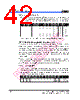
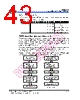
42 / 60 page  EM62100 65 COM/132 SEG STN LCD Driver 36 • ••• Product Specification (V1.1) 09.13.2005 (This specification is subject to change without further notice) (2) Electronic Volume Register Set By using this command to set six bits of data to the electronic volume register, the LCD drive voltage V0 assumes one of the 64 voltage levels. When this command is input, the electronic volume mode is released after the electronic volume register has been set. RS RDB WRB D7 D6 D5 D4 D3 D2 D1 D0 Hex Setting 0 1 0 * * 0 0 0 0 0 1 01H Small 0 0 0 0 1 0 02H 1 1 1 1 1 0 3EH 1 1 1 1 1 1 3FH Large When the electronic volume function is not used, set D5 - D0 to 100000. 7.2.19 Static Indicator (Double Byte Command) This command controls the static drive system indicator display. The static indicator display is controlled by this command only, and is independent of other display control commands. This is used when one of the static indicator LCD drive electrodes is connected to the M terminal, and the other is connected to the FLM terminal. Different patterns are recommended for the static indicator electrodes and for the dynamic drive electrodes. If the patterns are too close, it can result in deterioration of the LCD and of the electrodes. The static indicator ON command is a double bytes command paired with the static indicator register set command, and such commands must be executed one after the other. (The static indicator OFF command is a single byte command) (1) Static Indicator ON/OFF When the static indicator ON command is executed, the static indicator register set command is enabled, and no other command aside from the static indicator register set command can be used. This mode is cleared when data is set in the register by the static indicator register set command. RS RDB WRB D7 D6 D5 D4 D3 D2 D1 D0 Hex Setting 0 1 0 1 0 1 0 1 1 0 0 ACH Static indicator OFF 1 ADH Static indicator ON |
|
Link URL |
| Does ALLDATASHEET help your business so far? [ DONATE ] |
About Alldatasheet | Advertisement | Contact us | Privacy Policy | Link to Datasheet | Link Exchange | Manufacturer List All Rights Reserved©Alldatasheet.com |
| Russian : Alldatasheetru.com | Korean : Alldatasheet.co.kr | Spanish : Alldatasheet.es | French : Alldatasheet.fr | Italian : Alldatasheetit.com Portuguese : Alldatasheetpt.com | Polish : Alldatasheet.pl | Vietnamese : Alldatasheet.vn Indian : Alldatasheet.in | Mexican : Alldatasheet.com.mx | British : Alldatasheet.co.uk | New Zealand : Alldatasheet.co.nz |
|
Family Site : ic2ic.com |
icmetro.com |
 English ▼
 English
 Chinese
 German
 Japanese
 Russian
 Korean
 Spanish
 French
 Italian
 Portuguese
 Polish
 Vietnamese
 Indian
 Mexican
 British
 New Zealand